
- How It Works
- 24/7 Privacy Monitoring
- Delete Your Info From Google
- Setup Trusted Companies
- Protect Your Family
- Business Services
TruthFinder Opt-Out Guide: How to Remove Your Personal Information
Overview:
What is TruthFinder?
TruthFinder is a subscription-based, United States-based service for people search and background checks that generates detailed reports on individuals by compiling public records, social media information, and contact details. Users can access these reports by searching with a person's name, phone number, email address, or residential address. The service requires a paid subscription for access to its reports, as it does not offer one-time purchases.
Types of personal information they expose:
Full Names
Nicknames
Date of Birth
Current and Previous Addresses
Contact Numbers
Email Addresses
Social Media Profiles
Criminal and Traffic Records
Property Ownership
Financial History
Relatives and Associates
Risks to privacy if the data is not removed:
If your data remains on TruthFinder, it can be accessed by anyone online, increasing the risk of identity theft, scams, or unwanted solicitations. It may also be used by employers, landlords, or strangers to make judgments about you without your consent.
Why this guide exists:
This guide is intended to help individuals and organizations understand what types of personal information may be collected or exposed by platforms such as TruthFinder, the potential privacy risks involved, and how to take action to protect or remove their data to maintain better digital privacy and control over their personal information.
This step-by-step guide will walk you through the process of opting out of TruthFinder.
Opt-Out Process at a Glance
Time to Complete: 5-10 minutes
Information Required: Full Name, Email Address, and Date of Birth
Verification Required: Yes - Email Confirmation
Data Removal Timeline: Usually within 72 hours, possibly up to 45 days
VPN Required: No
Step-by-Step Opt-Out Instructions
Step 1: Go to TruthFinder
Navigate to the data broker's website: https://www.truthfinder.com/
Scroll down towards the bottom of the home page and locate the 'Exercise My Data Privacy Rights'.
Alternatively, you may directly go to the Privacy Center: https://www.truthfinder.com/privacy-center/.
Step 2: Privacy Center
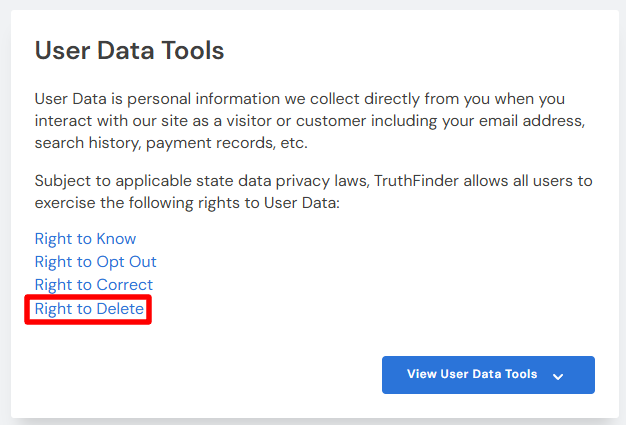
Under User Data Tools, click 'Right to Delete'.
Step 3: Suppression Request
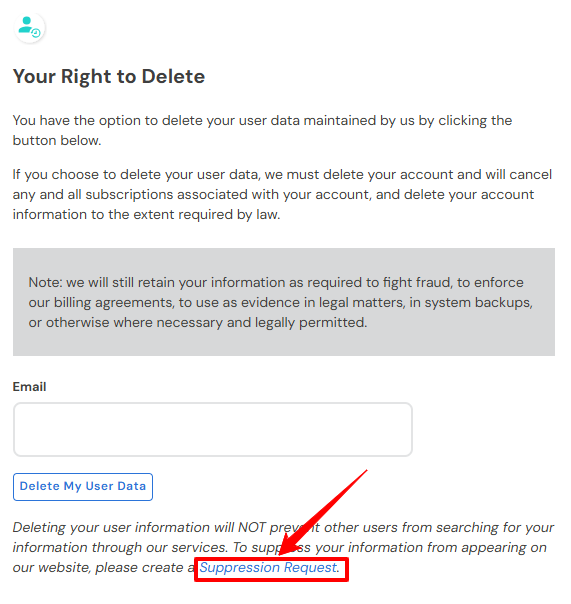
Click 'Suppression Request' which is highlighted in blue.
Step 4: Suppression Center
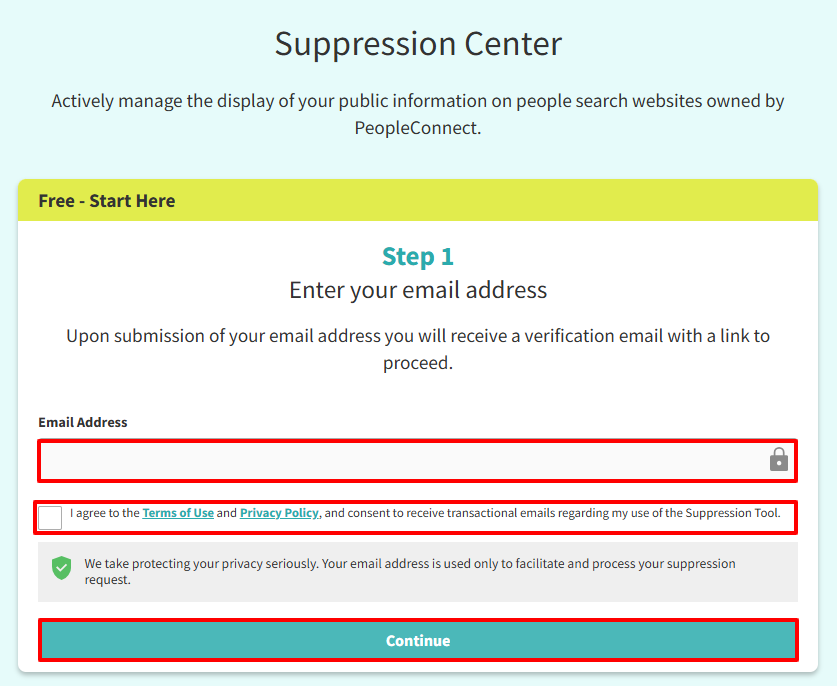
You will be directed to PeopleConnect since the company uses the site for suppression requests.
Enter your Email Address in the box provided.
Tick the verification check box.
Click 'Continue'.
Step 5: Email Verification
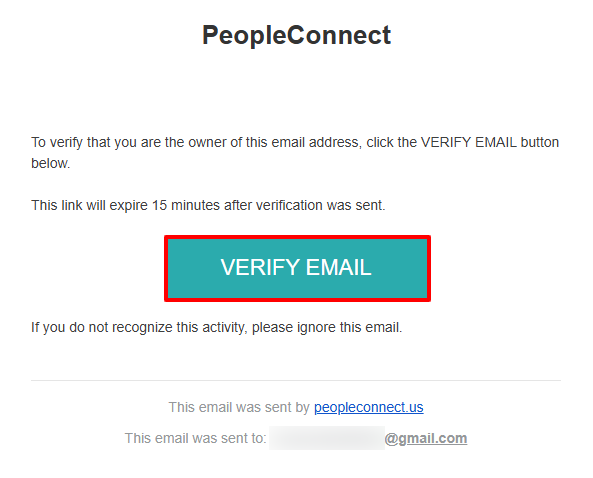
If a confirmation email is sent, open it and click 'Verify Email' to complete your request.
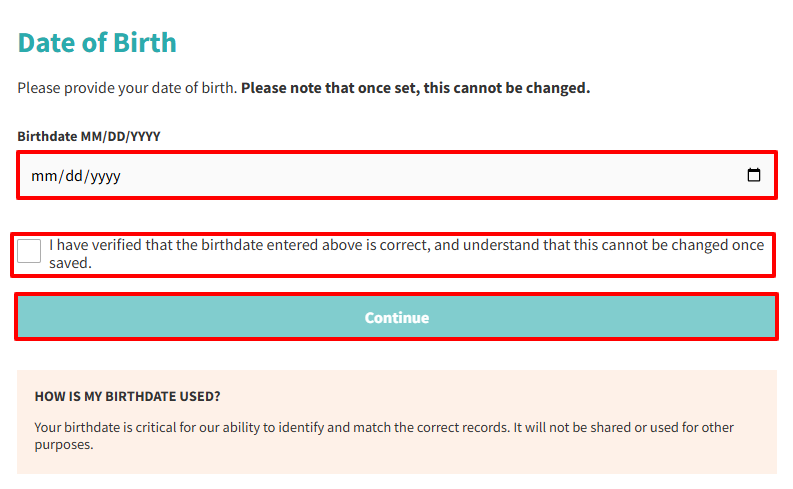
Step 6: Confirmation of Date of Birth
After you verify your email, you will be redirected back to the website.
Enter your Date of Birth.
Tick the verification box to confirm that the birthdate provided is correct. This cannot be changed once saved.
Click 'Continue'.
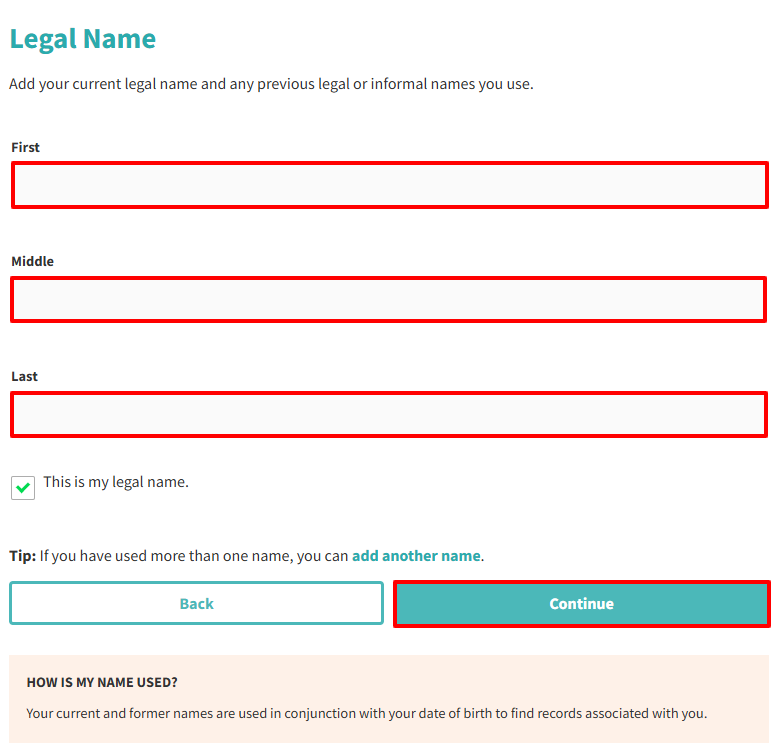
Step 7: Fill Out Legal Name
Enter your First Name, Middle Name (optional), Last Name.
Tick the check box confirming that this is your legal name.
Optionally, if you have used more than one name, you can add it to your request by clicking 'add another name'.
Click 'Continue'.
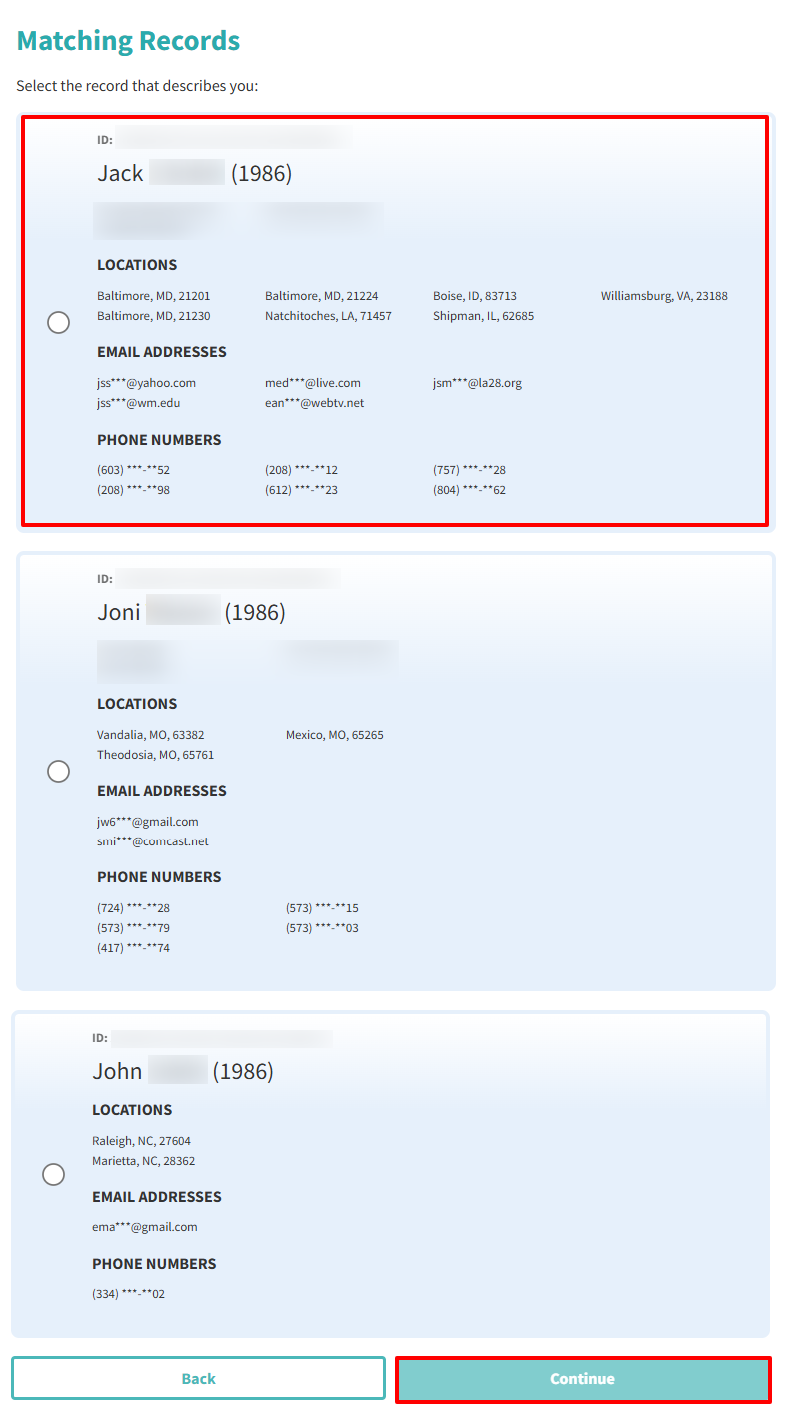
Step 8: Matching Records
Select the record that describes you.
Click 'Continue'.
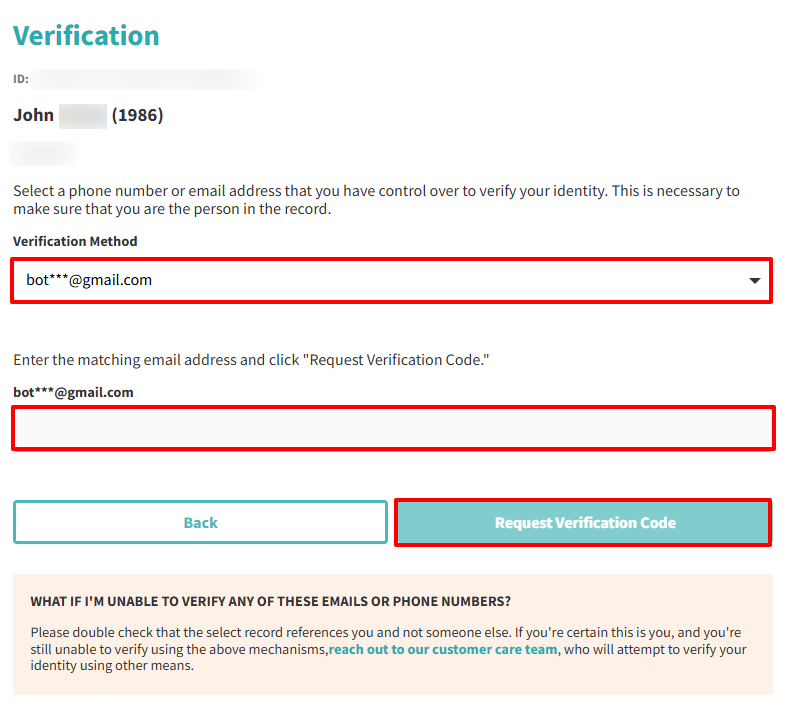
Step 9: Verification
Choose the phone number or email address you want to use for verification.
Enter the matching email address.
Click 'Request Verification Code.'
Step 10: Confirmation of Request
After you receive the email, click the verification link so your request can be processed.
Additional Notes
Use a masked/disposable email to minimize future contact.
Monitor your spam/junk folder for the confirmation link.
Listings may persist in search engine caches even after removal.
Re-check periodically to ensure your info doesn't reappear.
Need Help?
If you struggle with the removal process from TruthFinder, consider reaching out to third-party services like Privacy Bee, which specialize in handling opt-outs from data brokers.
 © 2026 Privacy Bee, LLC. All rights reserved