
Privacy Bee is the world's leading consumer privacy advocate, helping millions take control of their data.
- How It Works
- 24/7 Privacy Monitoring
- Delete Your Info From Google
- Setup Trusted Companies
- Protect Your Family
- Business Services
De-risk your data privacy before it's too late!
Company Profile
Login
Trusted by
0%
Privacy Bee Pros
ThriftBooks is being monitored for privacy compliance. We have manually confirmed their Privacy Policy is clear. They have not signed our Privacy Pledge. Your data is at High Risk with ThriftBooks. Be careful!
Last Responded: May 5th, 2023 - 3 years ago
Do you trust ThriftBooks?
How do i delete my ThriftBooks account
Step 1: Sign in to your account
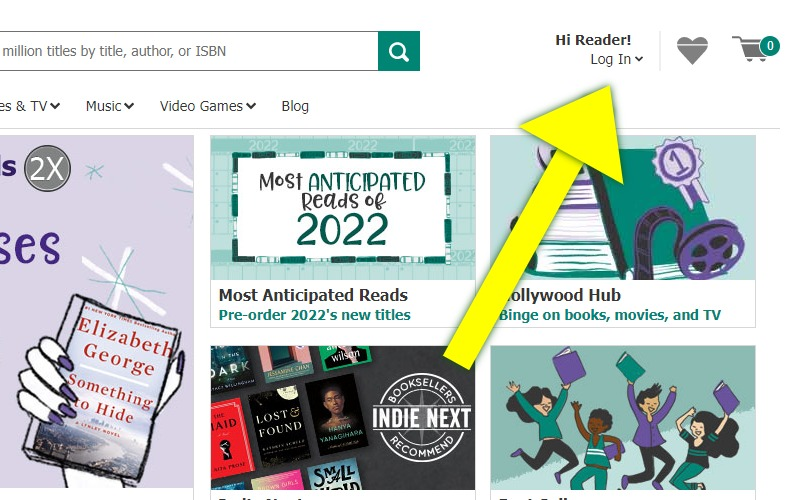
Go to the ThriftBooks homepage here: https://www.thriftbooks.com/, then click the avatar icon or "Login" button at the top right section of the page.
Step 2: Go to your Profile page
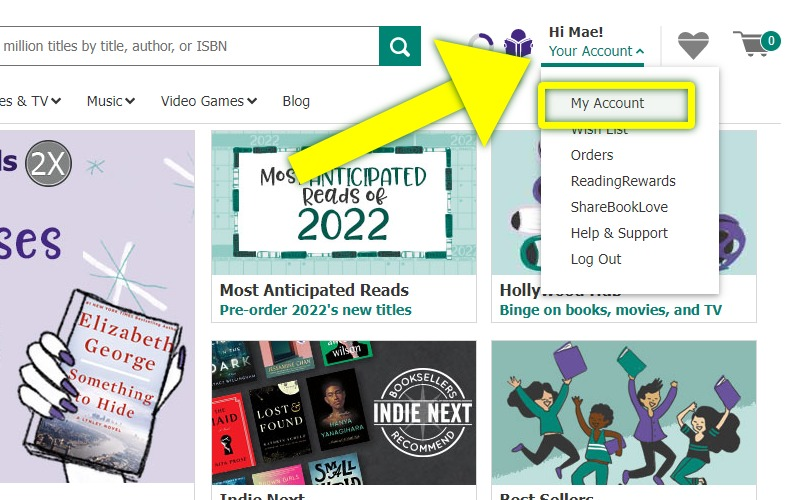
Once you are logged in, click on "Your Account" at the top right section of the page and select the "My Account" option from the drop-down menu.
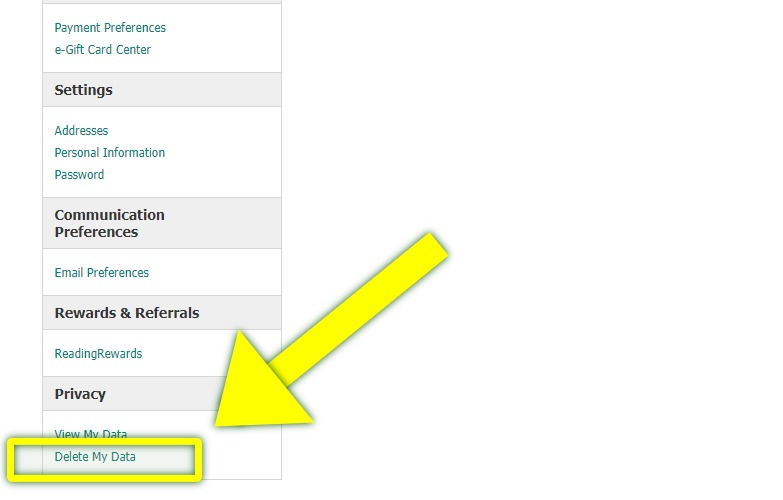
On the left-hand menu, click the "Delete My Data" link.
Step 3: Delete your Account
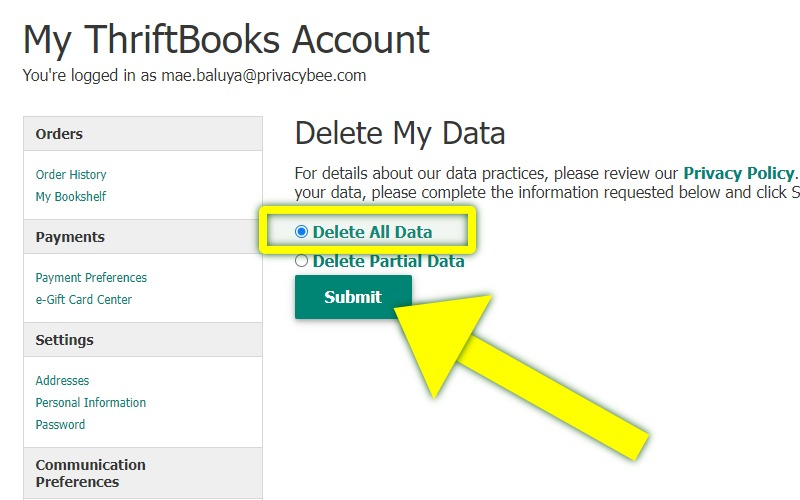
On the next screen, select the "Delete All Data" option then click the "Submit" button.
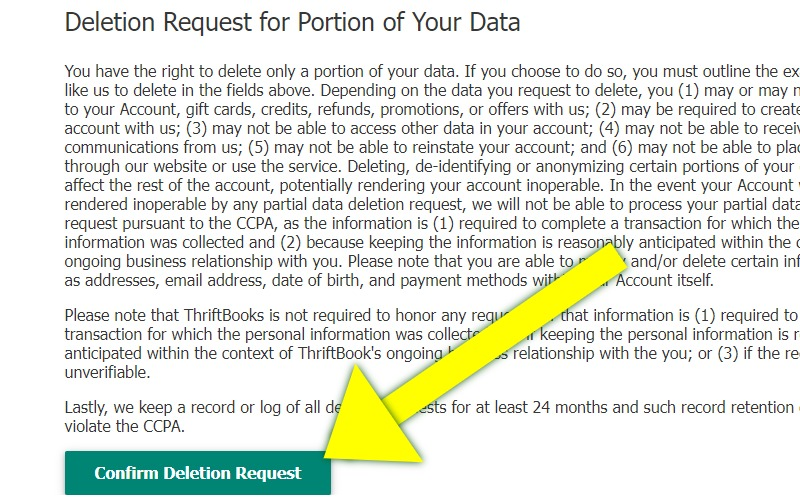
Click the "Confirm Deletion Request" to confirm your request.
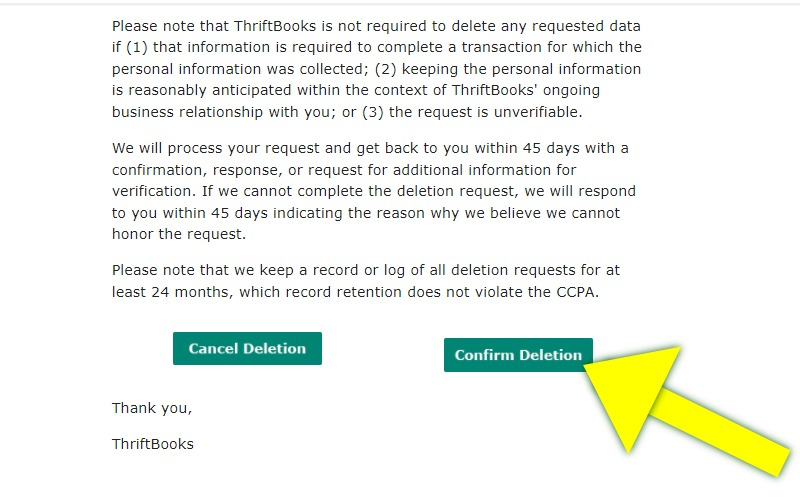
You will have to click the "Confirm Deletion" button to complete your request for account deletion.
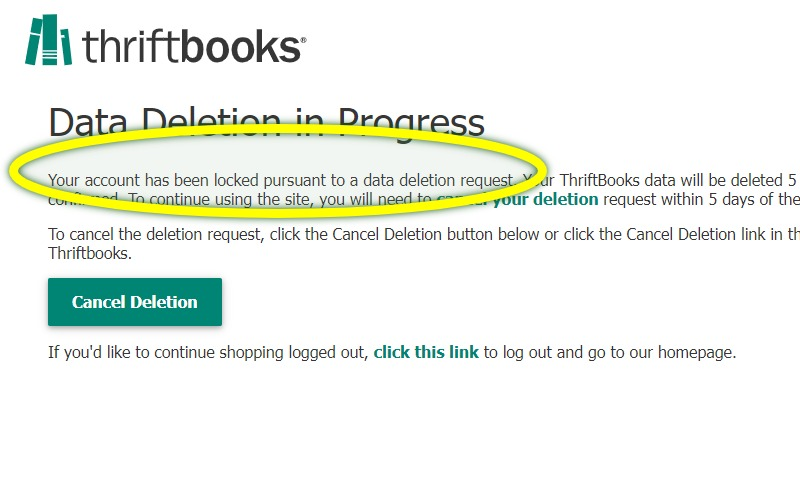
Your account will be locked almost immediately and it will be deleted within the next 5 days.
Frequently Asked Questions About ThriftBooks
Trusted Companies
Updated Companies
 © 2026 Privacy Bee, LLC. All rights reserved