
- How It Works
- 24/7 Privacy Monitoring
- Delete Your Info From Google
- Setup Trusted Companies
- Protect Your Family
- Business Services
PeopleConnect Opt-Out Guide: How to Remove Your Personal Information
Overview:
What is PeopleConnect?
PeopleConnect is a company that provides access to public records and background information through various online platforms. They compile and share data such as contact details, criminal records, and other personal information to help users find people and verify identities.
Types of personal information they expose:
- Full names
- Addresses
- Phone numbers
- Criminal histories
- Marriage and divorce records
- Sometimes financial or employment details
Risks to privacy if the data is not removed
If personal data remains accessible, individuals may face unwanted contact, identity theft, harassment, or discrimination. Exposure of sensitive details can also lead to fraud or damage to reputation, making it important to control or remove such information.
Why this guide exists:
This guide was created to help people understand how to request removal of their personal information from PeopleConnect's databases. It aims to empower users to protect their privacy and reduce the risks associated with public exposure of their data.
This step-by-step guide will walk you through the process of opting out of PeopleConnect.
Opt-Out Process at a Glance
- Time to Complete: 2-5 minutes
- Information Required: Email Address
- Verification Required: Yes - Email verification
- Data Removal Timeline: 10 business days
- VPN Required: No
Step-by-Step Opt-Out Instructions
Step 1: Navigate to PeopleConnect
Access the Opt-Out Page: https://suppression.peopleconnect.us/login
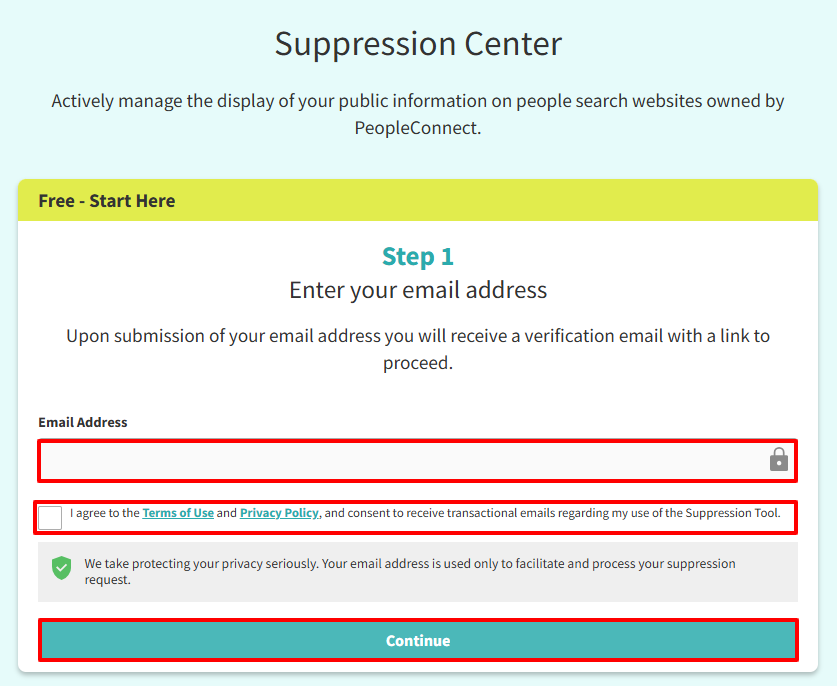
Step 2: Suppression Form
You will be directed to PeopleConnect since the company uses this for suppression requests.
- Enter your email address in the box provided.
- Tick the box to verify that you agree to receive transactional emails regarding the use of the suppression tool.
- Click 'Continue.'
Step 3: Confirm the Request
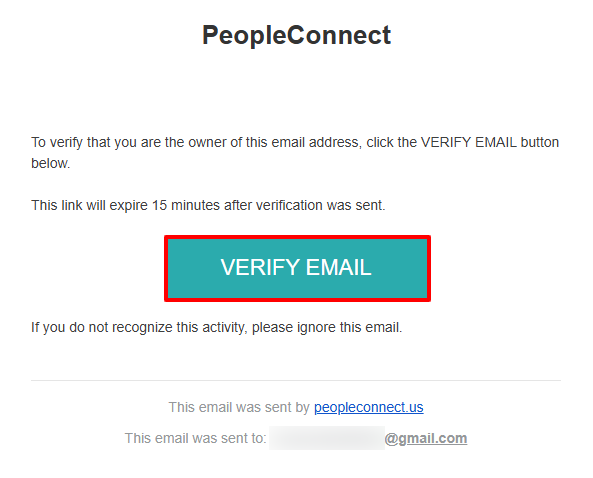
If a confirmation email is sent, open it and click the verification link to complete your request.
Step 4: Confirmation of Date of Birth
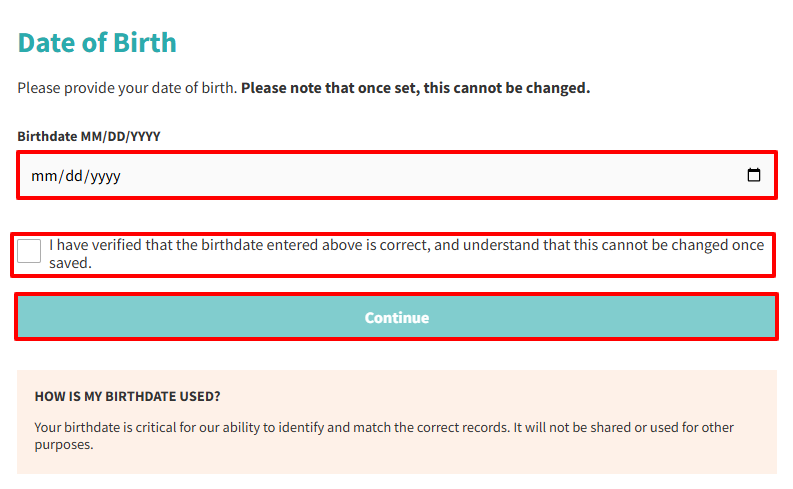
After you verify your email, you will be directed back to the website.
- Enter your date of birth.
- Tick the verification box to confirm that the birthdate provided is correct. This cannot be changed once saved.
- Click the 'Continue' button.
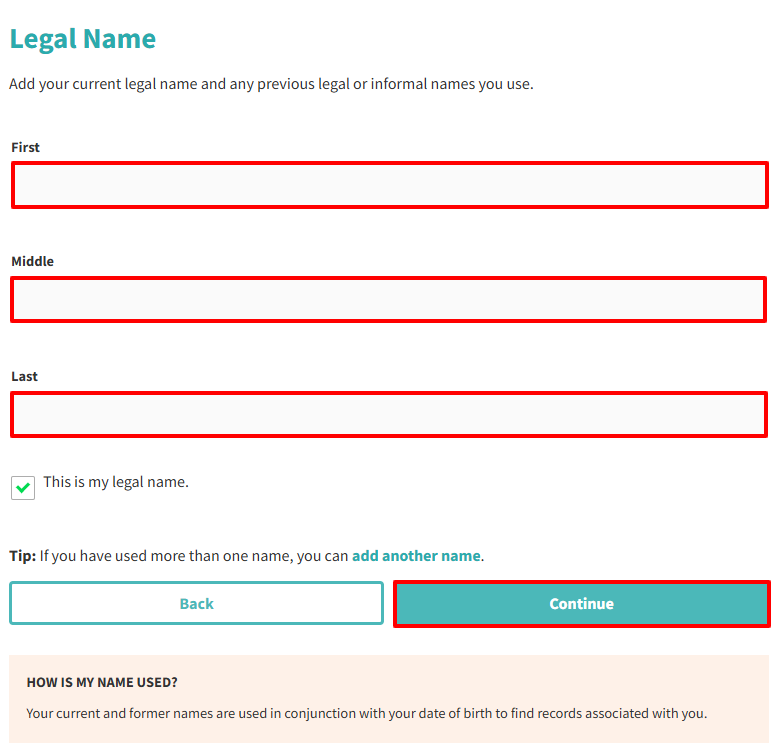
Step 5: Fill Out Legal Name Form
- Enter your First Name, Middle Name (optional), Last Name.
- Click 'Continue' button.
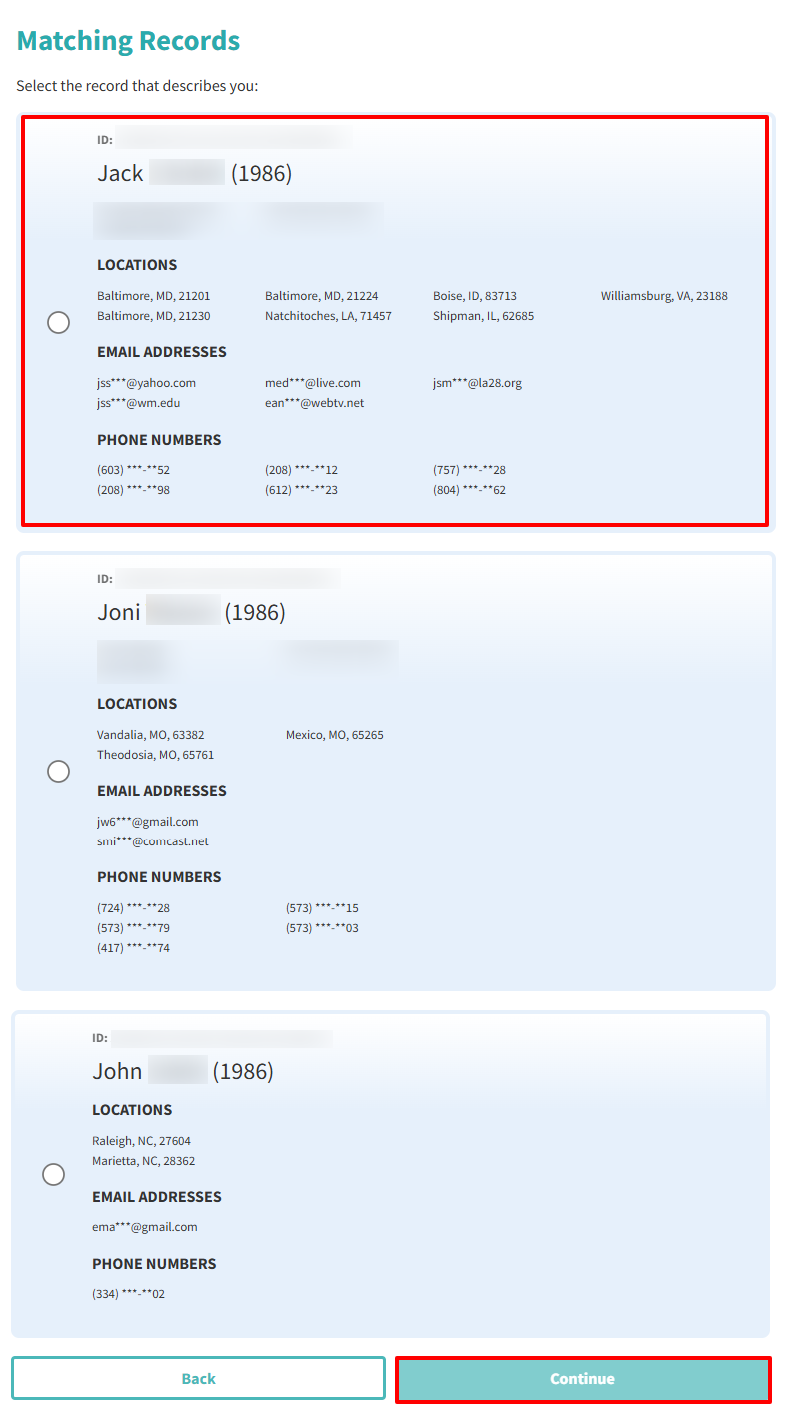
Step 6: Matching Records
- Select the record that describe you.
- Click 'Continue'.
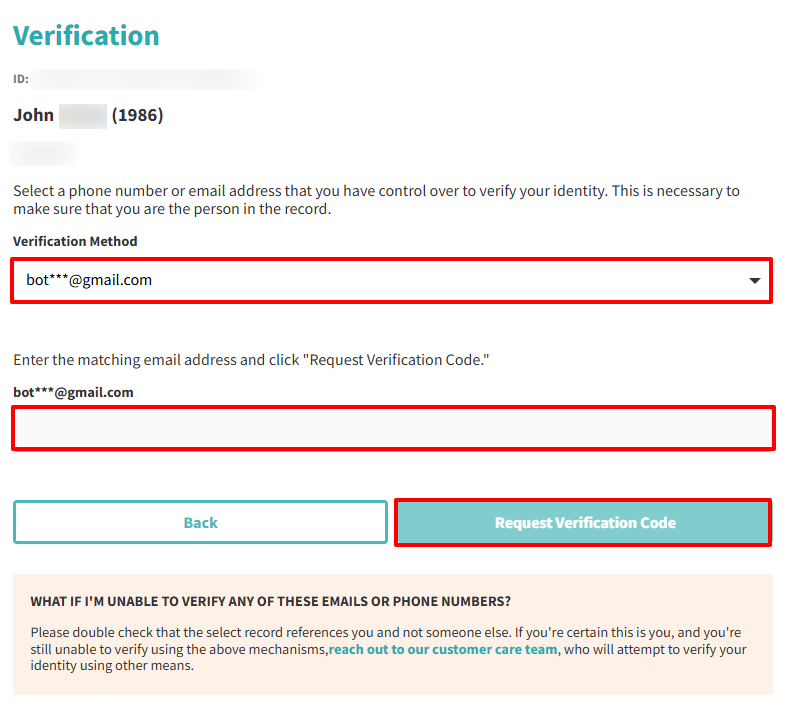
Step 7: Verification
- Choose the phone number or email address you want to use for verification.
- Enter the matching email address.
- Click 'Request Verification Code.'
Step 8: Confirmation of Request
After you receive the email, click the verification link so your request can be processed.
Additional Notes
- Your information might reappear if it's sourced from public records or other data brokers. Regularly check and reapply suppression requests as needed.
- If you have multiple email addresses, you'll need to submit separate requests for each one.
- Once deleted, you may lose access to any accounts or services linked to your data on PeopleConnect.
Need Help?
If you're having trouble removing your information from PeopleConnect, consider using a privacy protection service like Privacy Bee that handles the opt-out process for you.
 © 2026 Privacy Bee, LLC. All rights reserved