
- How It Works
- 24/7 Privacy Monitoring
- Delete Your Info From Google
- Setup Trusted Companies
- Protect Your Family
- Business Services
Spokeo Opt-Out Guide: How to Remove Your Personal Information
Overview:
What is Spokeo?
Spokeo is a people search website that aggregates and displays personal information from public sources. It allows users to search for individuals by name, phone number, email address, or physical address.
Types of personal information they expose:
Names
Known Aliases
Past and Present Addresses
Phone Numbers
Email Addresses
Relatives and Household Members
Social Media Accounts
Court and Criminal Records
Risks to privacy if the data is not removed:
The public availability of personal data, such as your name or home address, on platforms like Spokeo poses a significant risk which can be readily accessed and exploited for identity tracing, unwanted contact, or profiling. Such exposure elevates the potential for harassment, doxxing, or fraud, particularly when combined with other publicly accessible details.
Why this guide exists:
This guide exists to empower individuals to take control of their online presence by helping them remove their data from Spokeo and reduce their exposure to potential risks.
This step-by-step guide will walk you through the process of opting out of Spokeo.
Opt-Out Process at a Glance
Time to Complete: 10 to 15 minutes
Information Required: Full Name, Address, Email Address, and Phone Number
Verification Required: Yes - Email Confirmation and CAPTCHA
Data Removal Timeline: Allow up to 45 days
VPN Required: No
Step-by-Step Opt-Out Instructions
Step 1: Go to Spokeo
Navigate to the data broker's website: https://www.spokeo.com/
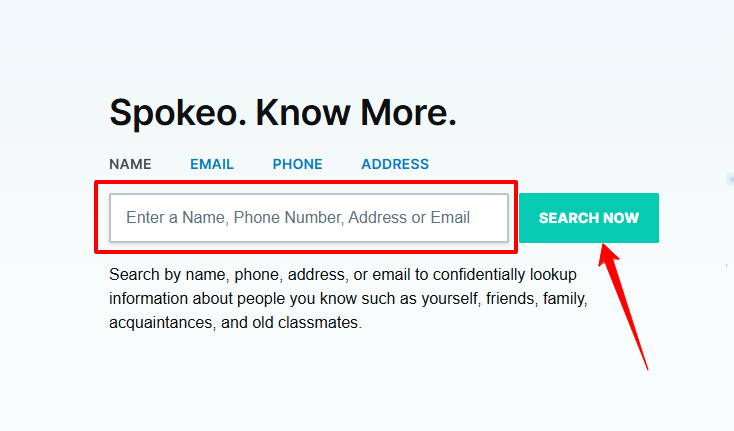
Step 2: Search for Your Record
Enter your Name, Email Address, Phone Number, or Address.
Click 'Search Now'.
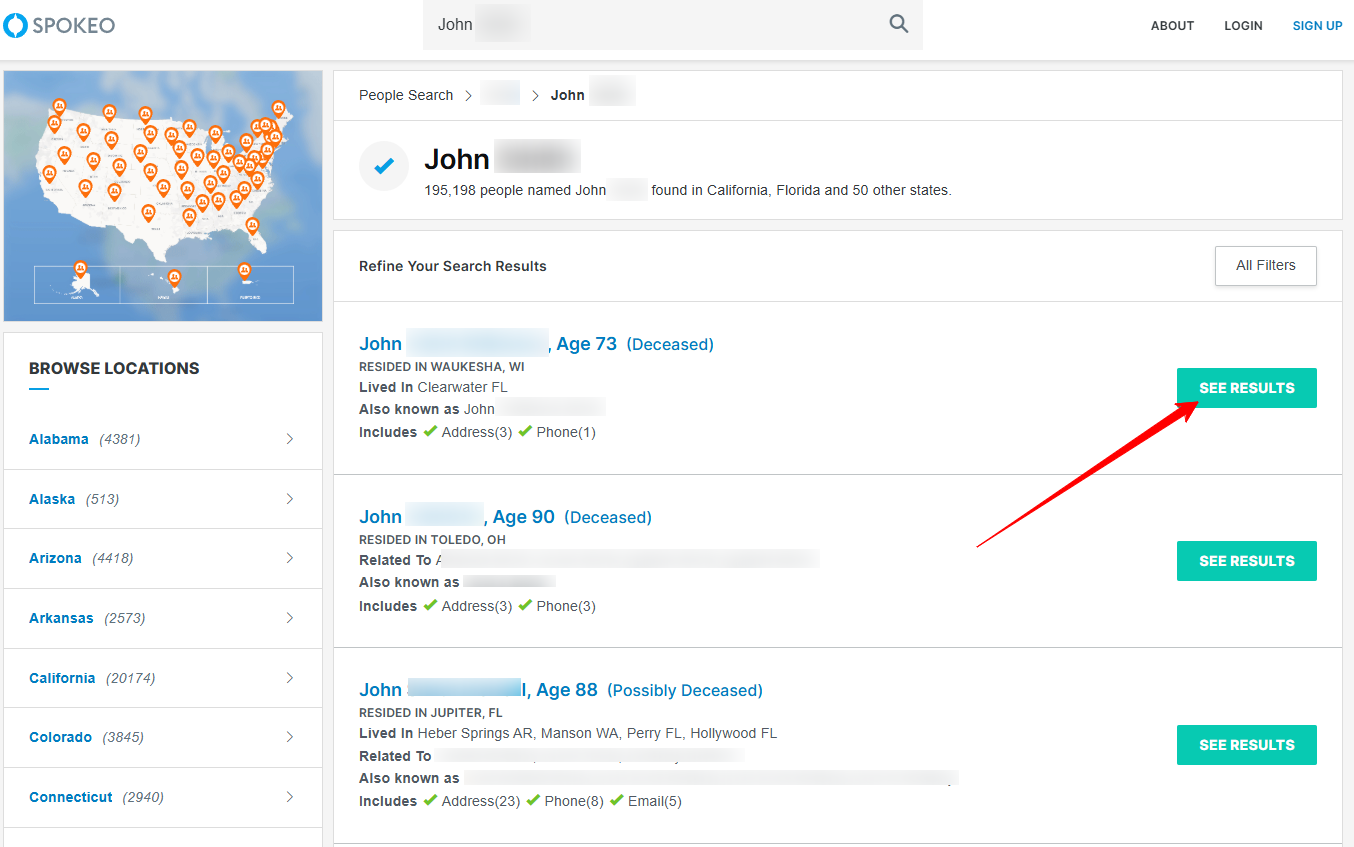
Step 3: Locate Your Profile
Once results populated, click on 'See Results' to open your listing.
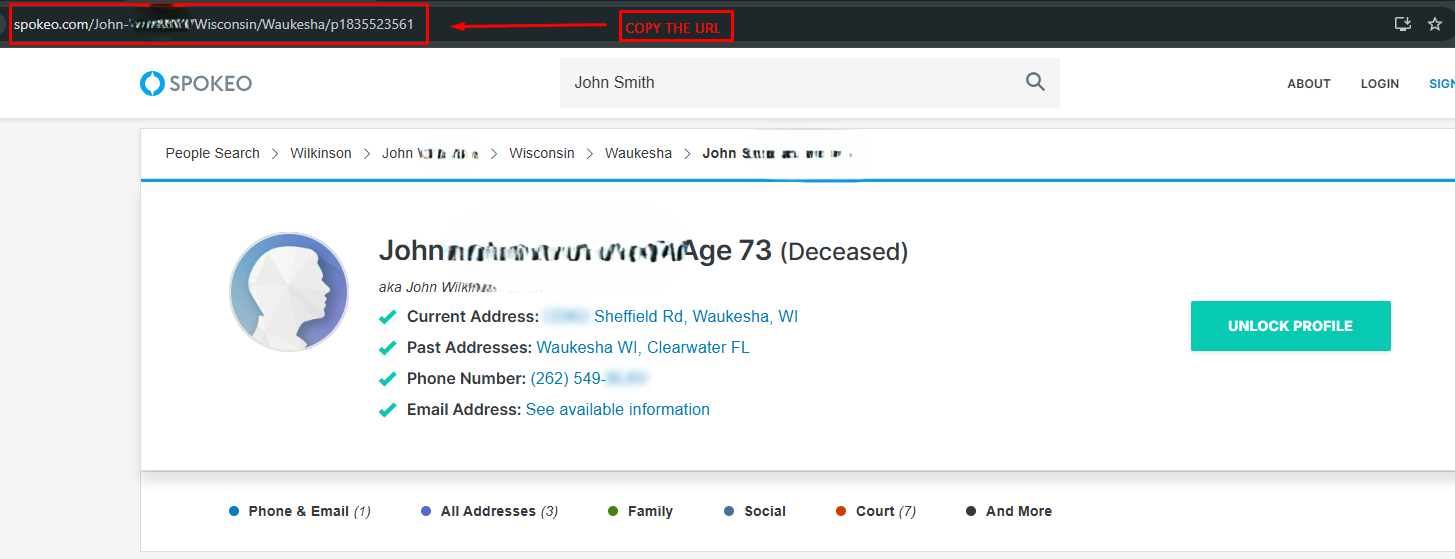
Step 4: Copy the Profile URL
Copy the URL from your browser's address bar.
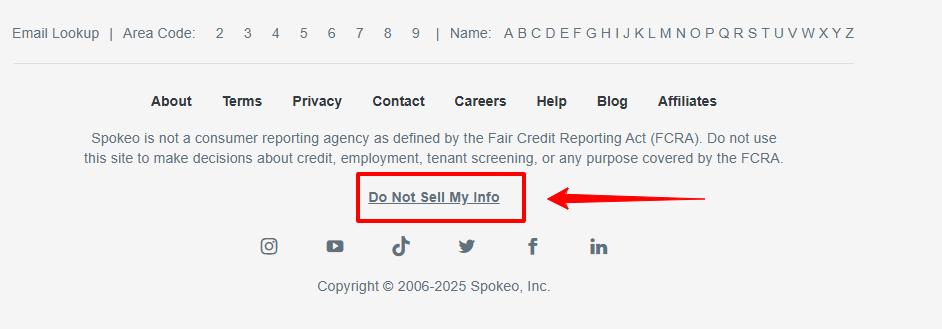
Step 5: Go to the Opt-Out Page
Visit Spokeo Opt-Out page: https://www.spokeo.com/optout
Alternatively, you may navigate the home page, scroll towards the bottom, and click 'Do Not Sell My Info'.
Step 6: Submit Your Opt-Out Request
Paste your profile URL.
Enter your Email Address.
Complete the CAPTCHA.
Click 'OPT OUT'.
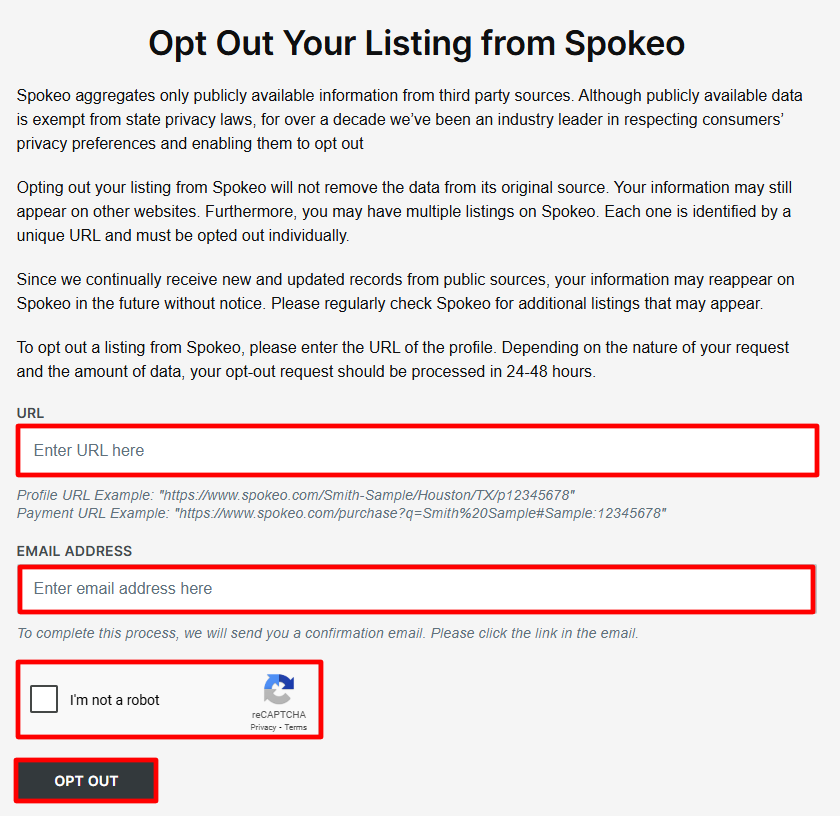
Step 7: Confirm the Request
Open your email inbox. Make sure to check the spam and junk folders as well.
Click the verification link to complete opt-out.
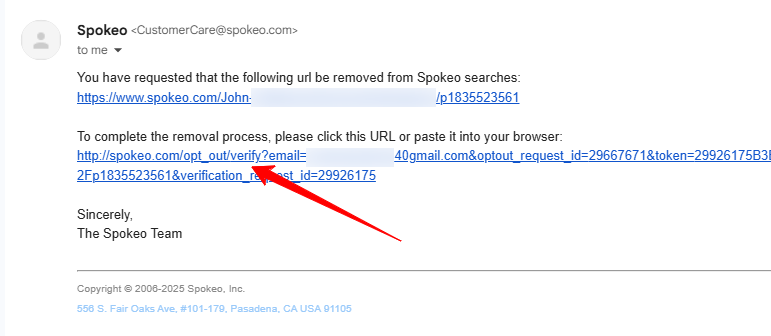
Step 8: Wait for Processing
Your request should be processed within 2-3 days for removal to be reflected on the site. Await further correspondence from Spokeo using the email address you have provided.
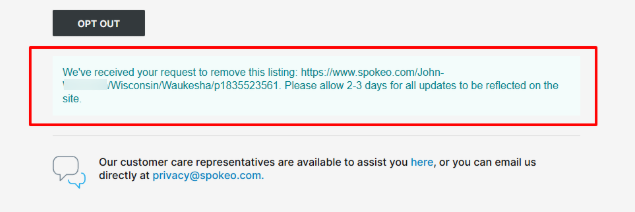
Additional Notes
Alternatively, you may email them at [email protected].
Spokeo is required by law to respond to your request up to 45 days of receiving your opt-out request. Follow up if you do not hear from them within this period.
Use a disposable or privacy-focused email if you don't want your primary email associated with the request.
Check spam or junk folders for their confirmation email.
Need Help?
If you're having trouble removing your information from Spokeo, consider using a privacy protection service like Privacy Bee that handles the opt-out process for you.
 © 2026 Privacy Bee, LLC. All rights reserved